
4 formats
PDF, Word, PowerPoint, Excel
100%
Conformance report on every file
Fixed price
Per document, by complexity tier
WCAG 2.2 + PDF/UA
Validated on every delivered file
What is document accessibility remediation?
Document accessibility remediation is the process of making PDF and Office documents usable by people who rely on assistive technology, by adding correct tags, structure, reading order, and alternative text so the document conforms to standards like WCAG 2.2 and PDF/UA. Done properly it pairs automated tools with human review and produces a validation report as evidence.
The problem DocConform solves
Most organisations have thousands of documents and no reliable way to make them accessible at volume. Automated tools tag a file and call it done, but a document that passes a checker can still fail under a screen reader.
Manual remediation by a specialist is accurate but does not scale and rarely comes with proof. Teams end up with a backlog, inconsistent quality, and no record of what was actually fixed.
“A document that passes an automated checker but fails under a screen reader is not accessible. DocConform delivers documents that are, and proves it.”
A managed conformance pipeline, not a one-off service
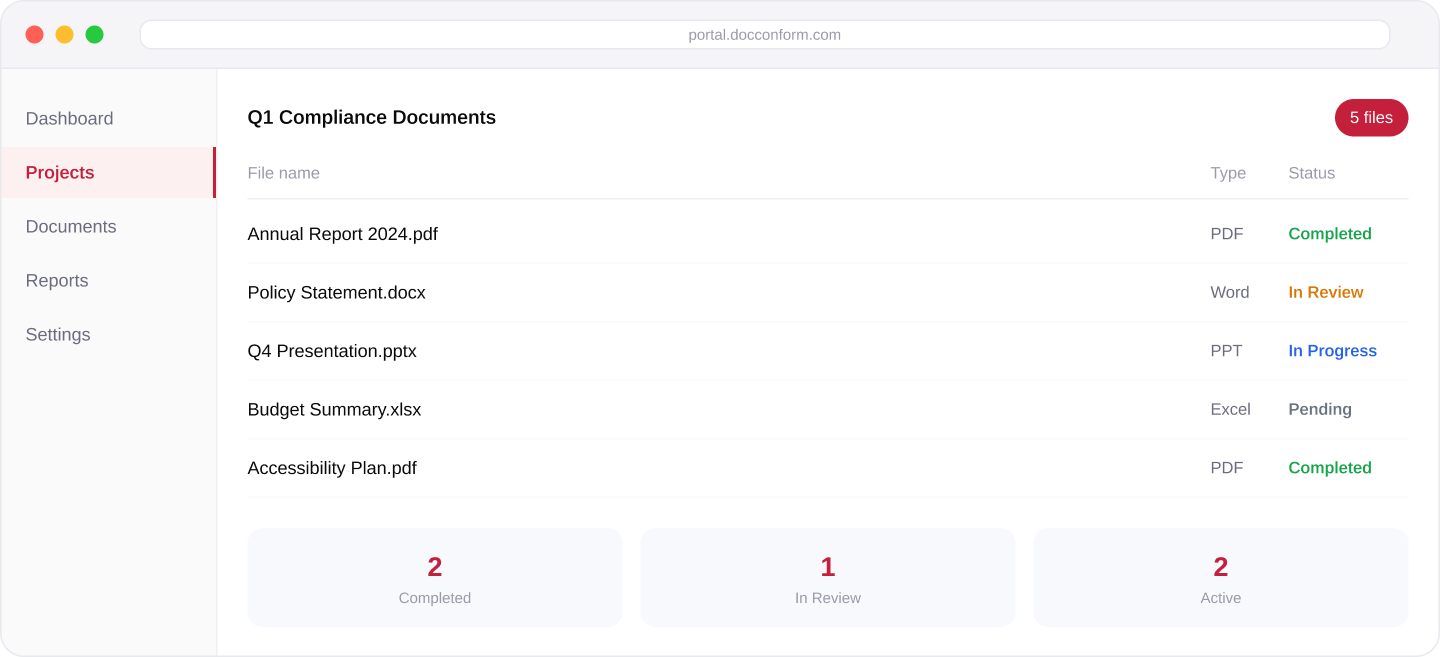
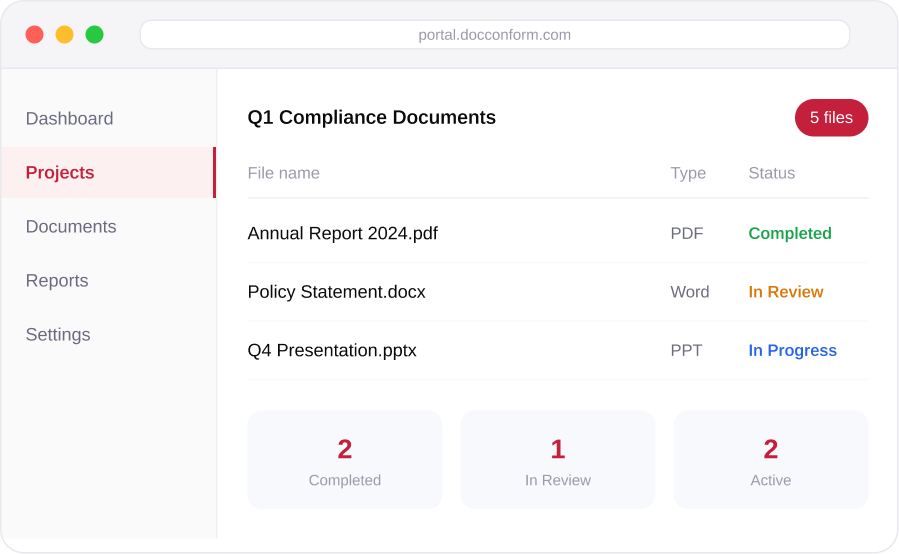
DocConform is a managed pipeline delivered through a secure portal. You submit documents by project, we remediate and review them, and you download the accessible file and its conformance report when the work is released. Pricing is fixed per document by complexity, and turnaround is committed in your agreement.
- Fixed per-document pricing
- Committed turnaround
- Expert review on every file
- Secure portal access
How it works
- 1
Create a project and submit documents
Upload PDF, Word, PowerPoint, and Excel files, singly or in bulk, with a due date through the secure portal.
- 2
We remediate and review
Rule-based remediation is paired with expert review against WCAG 2.2 and PDF/UA, and each file is validated.
- 3
Track progress in your dashboard
Every document shows its status from submission through review to completion.
- 4
Download the accessible file and report
Receive the accessible file and its conformance report together. Bulk download available for completed projects.
- 5
Request a revision if you need one
The original file, the remediated file, and the report stay connected to the project.
Access is controlled as a security and confidentiality measure: new accounts are reviewed and approved before first use, and projects are segregated.
Core capabilities
Full coverage
PDF, Word, PowerPoint, and Excel.
Project-based submission
With single-file and bulk upload.
Status tracking on every document
Pending, in progress, in review, completed.
Conformance report
A conformance report delivered with every remediated file.
Bulk download
Bulk download of completed project files.
Revision requests
After delivery, with original, remediated file, and report kept together.
Notifications and digests
So teams are not chasing status by email.
Controlled access
Account approval, project segregation, and organisation-level membership.
Optional PDF auto-tagging
As a first pass within the expert-reviewed pipeline — an assist, not the deliverable.
What you get
- A remediated, screen-reader-ready file for every document submitted.
- A conformance report attached to each file.
- A fixed per-document price by complexity, known before work starts.
- A committed turnaround in your agreement.
- A dashboard record of every submission, status, and delivery.
PDF · Word
PPT · Excel
100%
Report on every file
Fixed
Per-doc pricing
WCAG 2.2
+ PDF/UA validated
When DocConform is the right fit
Document backlog
You have reports, forms, policies, and statements that must be accessible and cannot all be rebuilt by hand. Public bodies, universities, financial and legal teams.
Recurring publishing
You publish documents on a recurring schedule and need conformance to keep pace without a growing queue.
Audit or complaint
You need proof of conformance per file for an audit, a procurement requirement, or a complaint response — not just an assertion.
Pricing and turnaround
DocConform prices each document by complexity across a fixed set of tiers, so cost is predictable before work begins, and turnaround is committed in your agreement rather than best-effort. That makes high-volume and recurring document work straightforward to budget and to plan around.
Built around your obligations
Produces documents aligned with internationally recognized accessibility standards, including WCAG 2.2, PDF/UA (ISO 14289-1), and EN 301 549, to support compliance with the accessibility laws that apply in your jurisdiction.
Standards supported
- WCAG 2.2 (AA)
- PDF/UA-1 (ISO 14289-1)
- Section 508
- EN 301 549
Regulatory coverage
- ADA (Americans with Disabilities Act)
- Section 508
- Accessible Canada Act
- EN 301 549 / European Accessibility Act
- State and provincial accessibility laws
See DocConform in action
We walk through the portal with a document of your own, show the remediation and review steps, and the conformance report you receive. About 30 minutes.
- Live portal walkthrough with your document
- See the expert remediation and review steps
- Receive a sample conformance report
- Q&A with a senior consultant — not a sales rep
A senior consultant, not a sales representative, will be in touch within one business day.